How to Change Password
To Change the password of your account
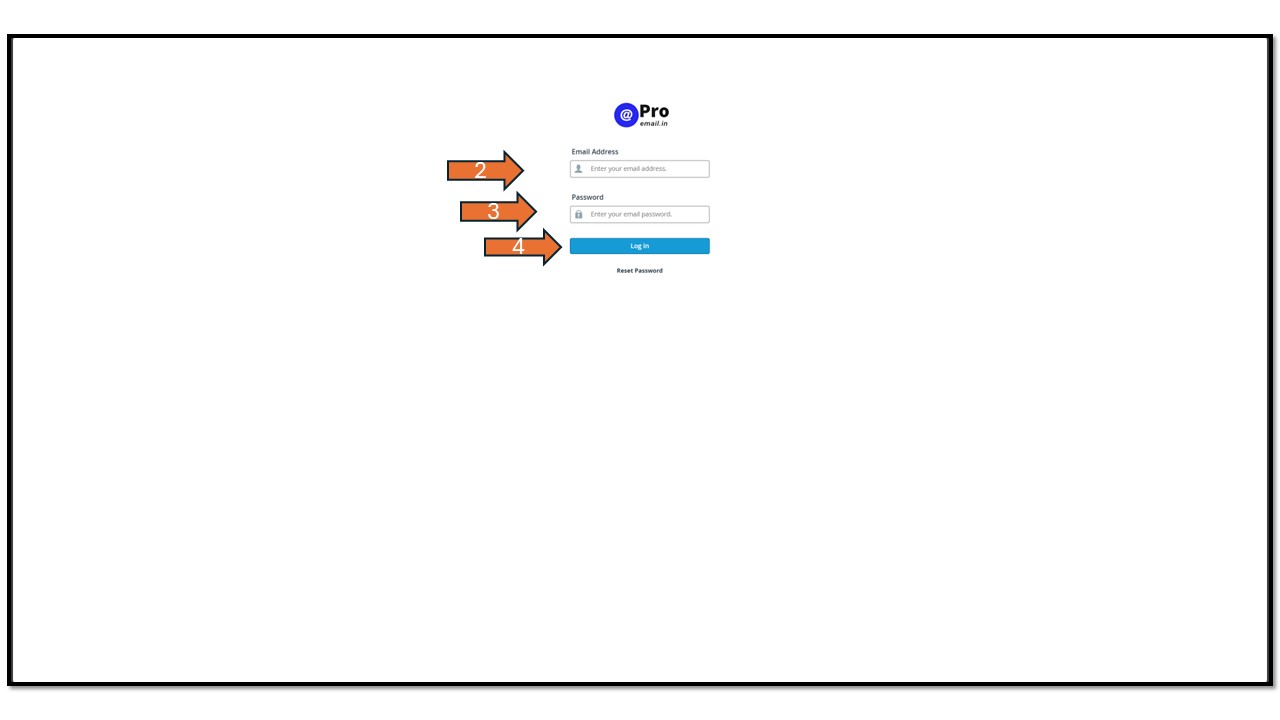
- Access Mail-Box: Visit the ProEmail website and click on the “Sign in” logo.
- Log In: Enter your email ID and password to log into your account.
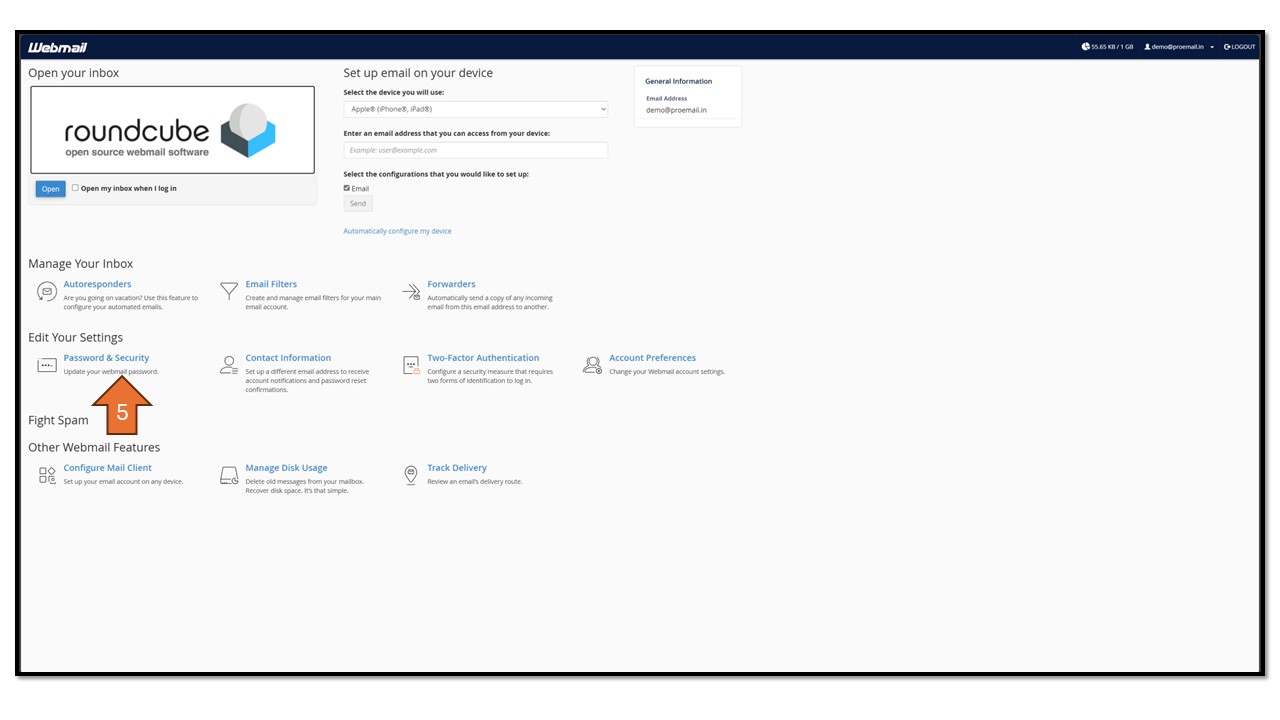
- Navigate to Password and Security Tab: Once logged in, find and click on the “Password and Security” tab.
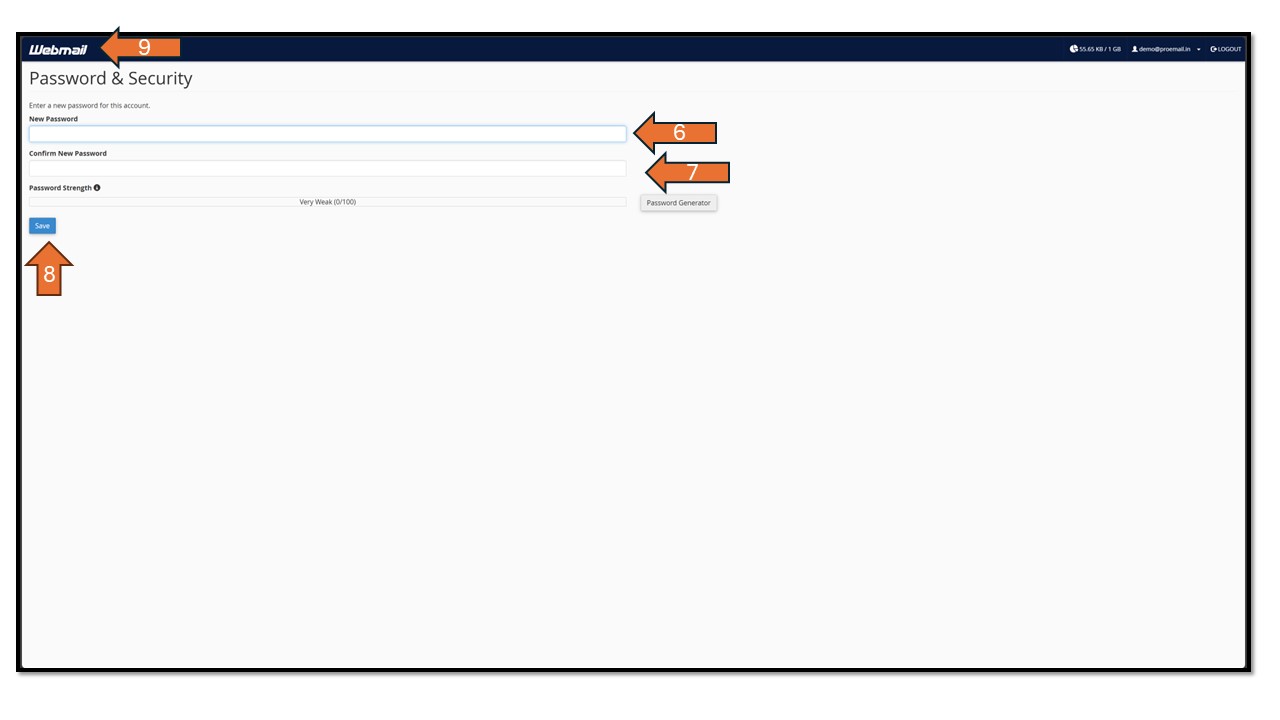
- Enter New Password: Input your desired new password into the designated field.
- Confirm New Password: Re-enter the new password to confirm and ensure accuracy.
- Save Changes: After confirming the new password, save the changes.
- Return to Home Page: Finally, click on the Webmail logo at the top left corner to return to the Webmail home page.
Check the screenshots below for a step-by-step guide.